
CFD for ducts and pipes · Live
Slow CFD? Try us.
Pressure drop for your duct or pipe, from one STL.
Upload the geometry. We check it, mesh it on our machine and email you a quote. Accept it and you get a PDF report, a 3D results viewer and the data files, with the pressure drop and the loss coefficient. OpenFOAM runs on our side, so you need no CFD licence.
₹199 quote fee (incl. GST) for most duct and pipe models; ₹499 for very large models (over 5 million cells). Pay for the run only if you accept the quote.
CFD services
Pick what you need to run.
Ducts and pipes
LiveBends, reducers, transitions, valves, fittings and manifolds. Upload one STL; we mesh it, email a quote, and deliver pressure drop, loss coefficient, a PDF report, a 3D viewer and the data files.
Start a jobRooms and HVAC airflow
Coming soonRoom air movement and comfort for HVAC designers. We release it only once it passes our validation cases, so the numbers are ones you can hand on. See a first pass on a real clinic floor: 90 diffusers, 100 rooms.
See it on a real buildingWho it is for
Engineers who need the number and the report, not a CFD seat.
HVAC and MEP consultants
Pressure drop across a duct run, a transition or a fitting, with a PDF report you can attach for your client.
Plant and process engineers
The pressure loss of a pipe spool or manifold before you size the pump or the fan, from the geometry you already have.
Students and researchers
A real OpenFOAM case for your final-year project or thesis: mesh, convergence history, fields and the full case files.
How it works
Four steps, all automatic.
- 1
Sign in, submit the job and upload one STL
With your Coreframe account: the fluid volume of your duct or pipe as one closed binary STL, the units, the fluid and the inlet flow.
- 2
We check the geometry automatically
Closed solid, units, and the flat end caps that become your inlet and outlets. You confirm which opening is the inlet on your job page.
- 3
Pay the quote fee (₹199 incl. GST for most models). We mesh it and email the quote
We build the real mesh on our machine, with wall layers, and email you a quote with packages to choose from.
- 4
Accept, pay from your wallet, get the results
The case runs on OpenFOAM. You get a PDF report, a 3D results viewer and the data files.
What you upload
One closed STL of the fluid inside.
- The fluid volume, not the pipe wall: the air or water inside, as one closed binary STL.
- Flat end caps on every opening, each at the end of a short straight section. One becomes the inlet; up to two more are outlets.
- The units your CAD exported in (mm, cm, m or inches).
- The fluid and the flow: air or water, and the inlet velocity or flow rate.
- Up to 200 MB. STEP, IGES and IFC are not accepted yet; export an STL instead.
In scope today
Anything out of scope is rejected automatically, with the reason, before you pay for a mesh.
What you receive
A report you can hand on, and the case behind it.
- Pressure drop
- Static and total, inlet to outlet, in pascals
- Loss coefficient K
- For one inlet and one outlet, on the inlet velocity (and the outlet velocity where they differ)
- Convergence verdict
- Residual history, the monitored pressure drop, and CONVERGED or a provisional warning
- Mesh record
- Cell count, wall layers, y+ on the walls, checkMesh quality
- Fields and 3D view
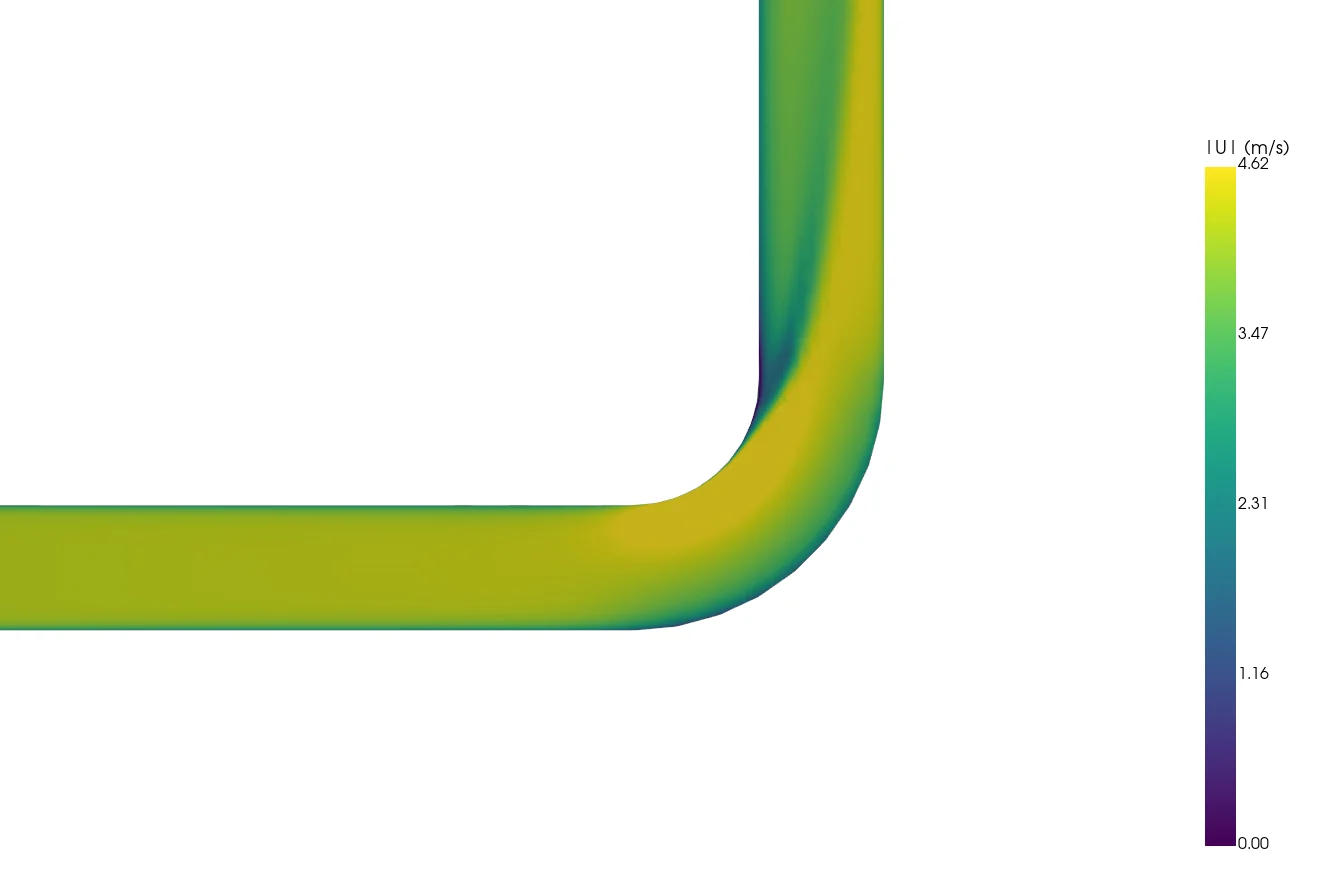
- Velocity and pressure on the mid-plane, wall pressure and streamlines, in a viewer that runs in your browser
- Data files
- The OpenFOAM case with the final fields and mesh, readable in ParaView
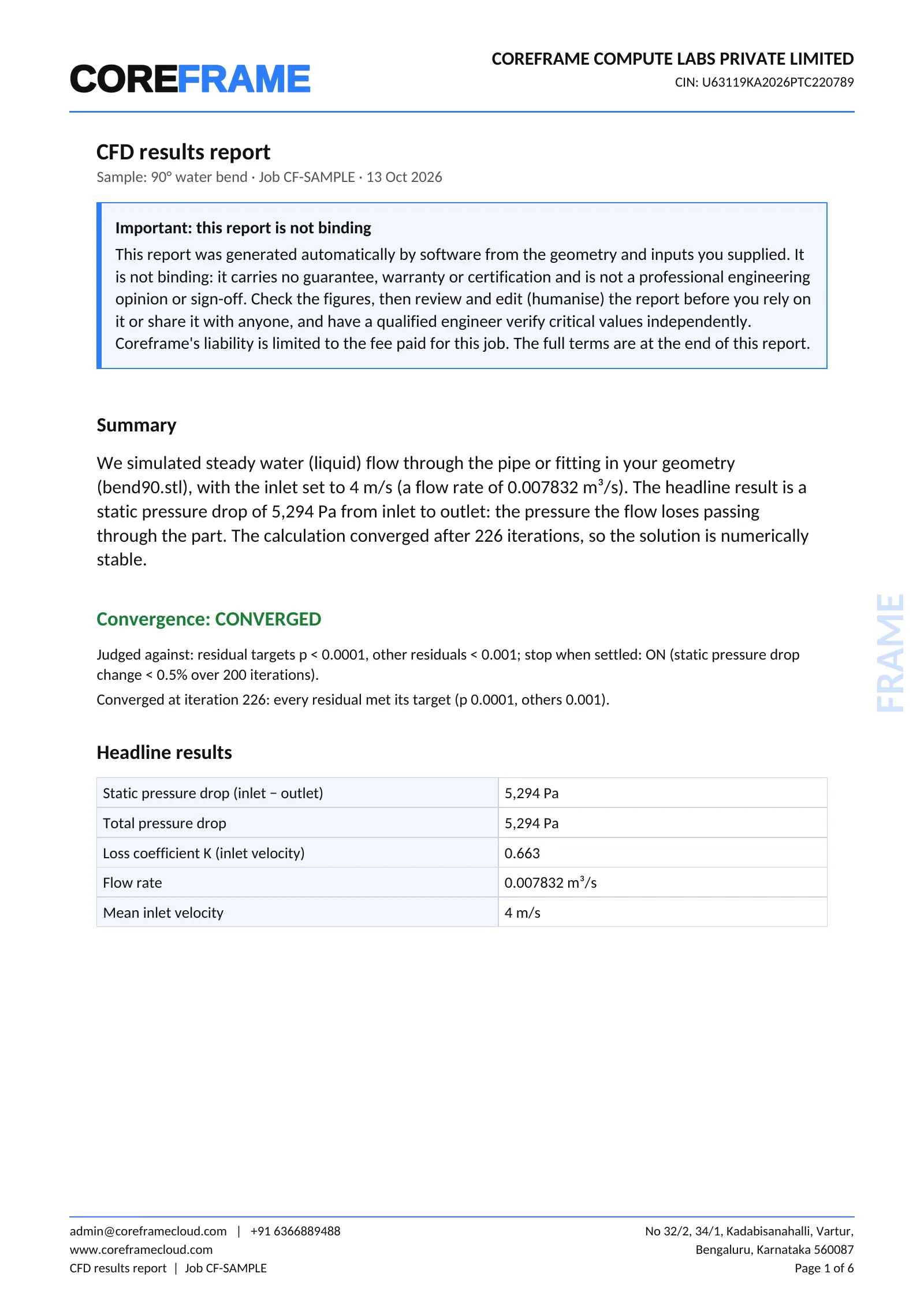
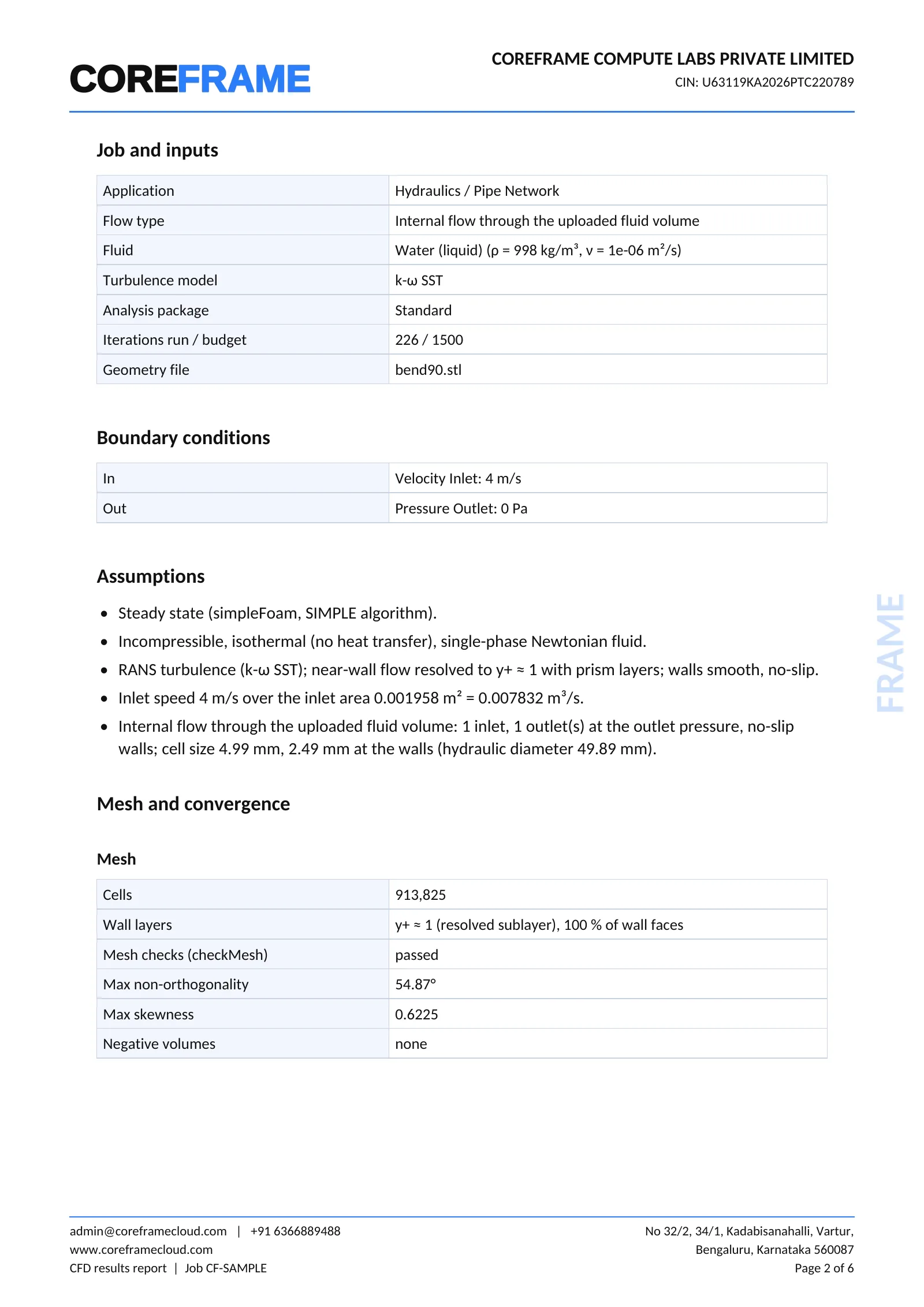
Download the full sample report (PDF, 6 pages)
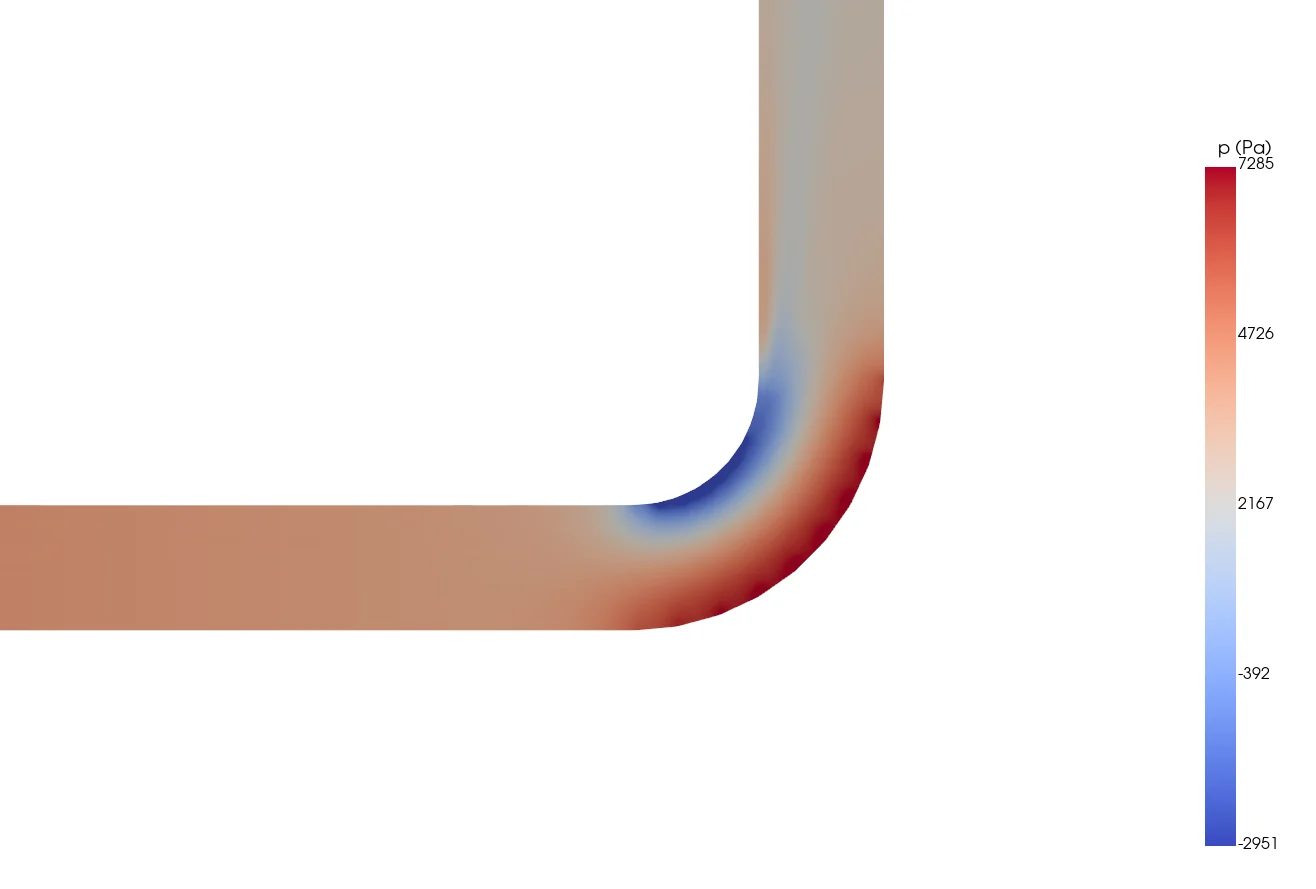
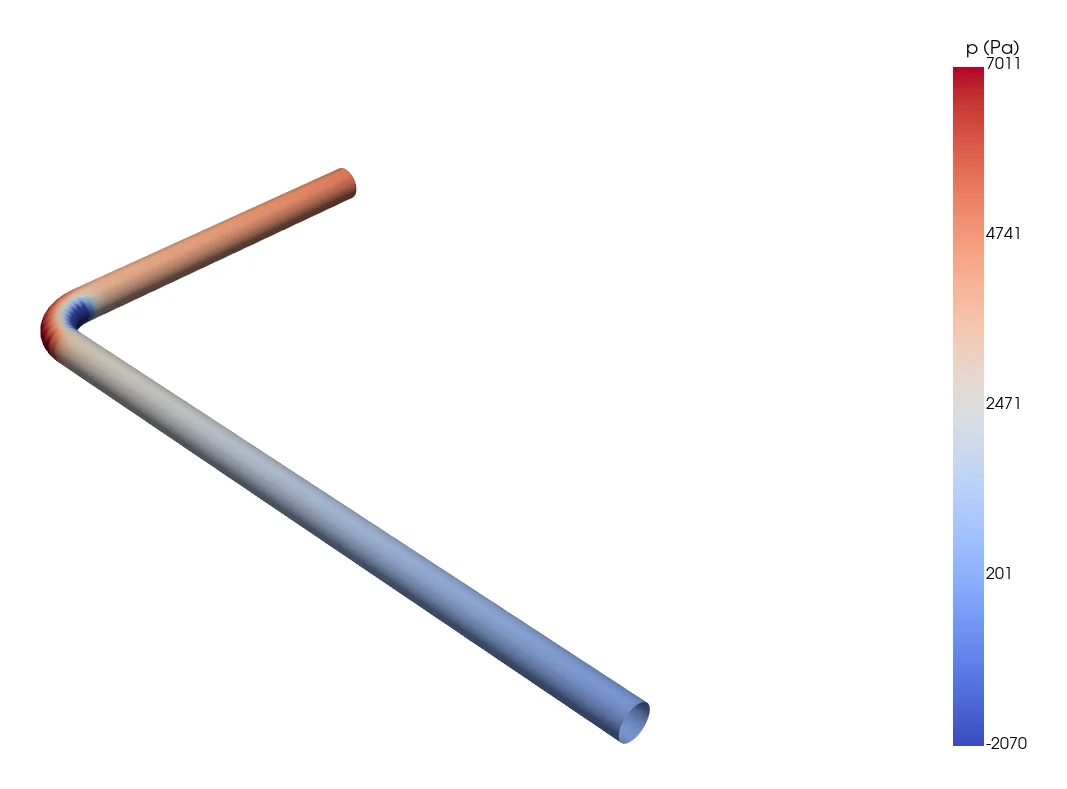
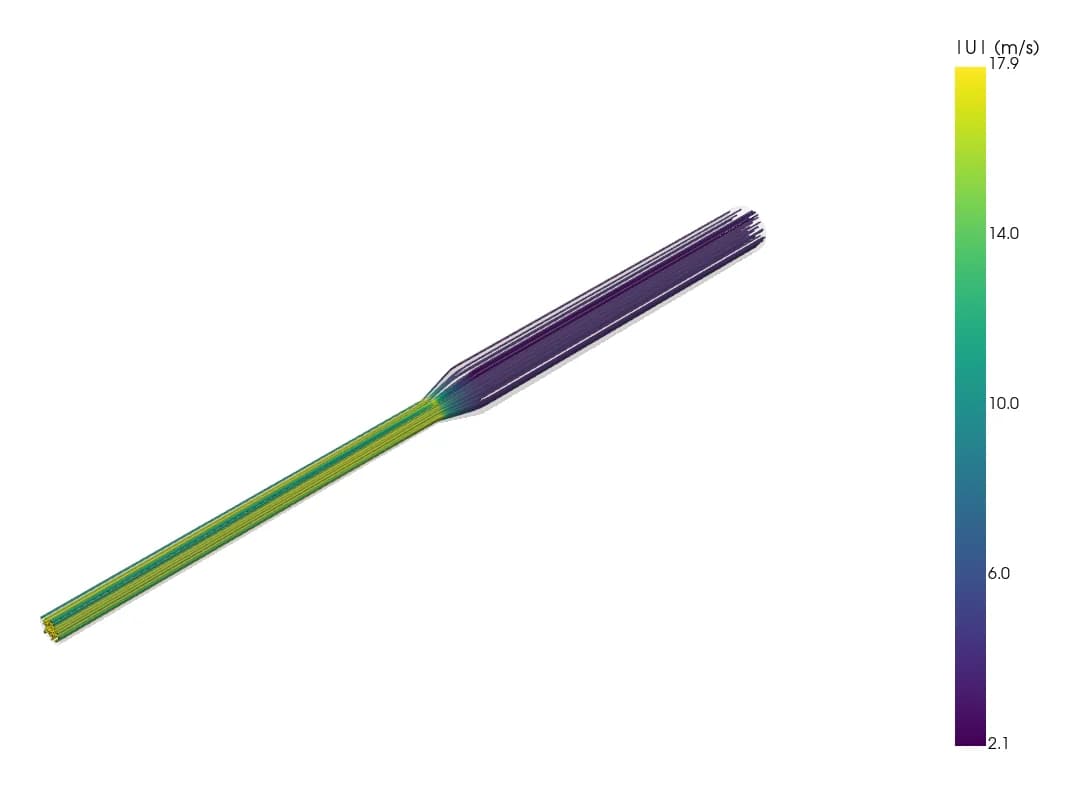
All images are from our own end-to-end test runs: 50 mm pipes, water at 4 m/s, a 90° bend (0.91 M cells) and a reducer (1.49 M cells), solved on our machine and reported exactly as a customer receives them.
Checked against the textbook
In a straight pipe, our friction factor matched the Haaland/Colebrook correlation to about 1–5 %.
Wall-resolved by default
Prism layers sized for y+ ≈ 1, so the boundary layer is resolved, and the report shows the y+ you actually got.
Converged, or told so
Each run is judged against residual targets. If it did not converge, the report carries a provisional warning and you can continue it.
What it costs to start
₹199 incl. GST for the mesh and the quote.
Quote fee
₹199 incl. GST for most duct and pipe models; ₹499 for very large models (over 5 million cells). Paid from your Coreframe wallet. For it we build the real mesh of your geometry.
Quote by email
Packages to choose from, each with its iteration budget and convergence targets.
Pay only if you accept
Nothing runs, and nothing more is charged, until you pay the quote.
Held, then settled
The quote is held in your wallet; you are charged for what the run used and the rest comes back.
Rejected before meshing: no charge. A quote that fails on our side: the fee goes back to your wallet. GST invoice on every payment.
Start a job
Tell us the flow, then upload the STL.
A few fields and a file, from your Coreframe account. Your name, email and WhatsApp number come from the account, and the quote fee is paid from its wallet on your job page.
Questions.
What file do you need?
One closed binary STL of the fluid volume, which is the air or water inside the duct or pipe, not the metal around it. Close each opening with a flat face at the end of a short straight section. Tell us the units, because STL files do not store them. STEP, IGES, Parasolid and IFC are not accepted yet: export an STL from your CAD tool.
Do I need a CFD licence?
No. The case runs on OpenFOAM on our machine. You need a browser and a Coreframe account with wallet balance.
Do I need a Coreframe account?
Yes. Sign up with your email and a WhatsApp code to your mobile, the same account and wallet as GPU workstations and Studio. Your name, email and number come from the account, so the form does not ask for them again.
What does it cost to start?
The quote fee is ₹199 (incl. GST) for most duct and pipe models and ₹499 for very large models (over 5 million cells), paid from your Coreframe wallet. The size is estimated from your STL before you pay, so you see which fee applies on your job page. For that we build the real mesh of your geometry and email you a quote with packages. You pay for the run only if you accept the quote. The quoted amount is held in your wallet, you are charged for what the run actually used, and the rest goes back to your wallet.
How accurate is it?
On our validation cases, the friction factor in a straight pipe matched the Haaland/Colebrook correlation to about 1–5 %. Meshes use wall layers sized for y+ ≈ 1 by default, so the boundary layer is resolved rather than modelled. Every run is judged against residual targets: the report says CONVERGED only when they were met, and a run that did not converge is delivered with a provisional warning. Results are design guidance, not certification.
What if the run does not converge?
You still get the report, the viewer and the data, clearly marked provisional, and you can continue the run for more iterations from your job page.
What if my job is out of scope?
It is rejected automatically, before any meshing, with the reason and what to change. You are not charged for a rejection, and a quote fee already paid for that job goes back to your wallet.
What can you not run yet?
Heat transfer, buoyancy, transient flow, multiphase, moving or rotating parts, compressible flow and more than one inlet. Air and water only. Rooms and HVAC comfort studies are coming soon.
I have a straight duct but no CAD. Can I still submit?
Yes. Tick 'Straight duct, no STL' in the form and give its length, width and height. Then choose 'use my dimensions' on your job page.
Is my geometry kept private?
Your job belongs to your Coreframe account. Its page and results open only with the private link we email you.