
Pricing
Pay for what you use.
Workstations by the minute, in US dollars with no GST. CFD by quote. Studio previews free.
By the Coreframe Cloud team · Updated
Billed in India? You'll see and pay prices in rupees, GST included.
Time
00:00
Cost so far
$0.00
Charged per minute. End the session and it stops.
GPU workstations
Pay for the minutes you use.
End the session and billing stops.
Pick your GPU
One workstation, your choice of GPU.
Every workstation is a full Windows desktop streamed to your laptop, with the applications installed, that you drive yourself through the Connect app; it is not a Linux server you SSH into. Pick the GPU for the job. Per GPU-hour, no GST, billed per minute.
NVIDIA RTX A4000 16 GBEntryIntro hours apply
- Ampere
- 6,144 CUDA cores
- 16 GB VRAM
- 16 vCPU
- 64 GB RAM
$1.49
per GPU-hour, no GST
NVIDIA RTX 5080 16 GBFast renderingIntro hours apply
- Blackwell
- 10,752 CUDA cores
- 16 GB VRAM
- 14 vCPU
- 48 GB RAM
$4.49
per GPU-hour, no GST
NVIDIA RTX PRO 5000 Blackwell 48 GB
- Blackwell
- 48 GB VRAM
Coming soon
Preinstalled: Blender, Unreal Engine, Twinmotion and D5 Render. Blender needs no licence; for Unreal Engine, Twinmotion and D5 Render you sign in with your own Epic Games or D5 account. Licences for commercial software, such as V-Ray, Lumion, Enscape, Adobe and Autodesk apps, are your own.
How to sign out of common apps$0.02 a minute, so a 20-minute session costs $0.50
No contract. Billed per minute from when you connect, not per whole hour. Preparing the workstation and uploads are free. If you don't connect within 10 minutes of your workstation being ready, it shuts down and those 10 minutes are charged. If a connection fails on our side, nothing is charged.
- ✓ Top up from $20 to $1,000 · $50+ adds 5%, $100+ adds 10%, $200+ adds 15%
- ✓ First top-up: $20 = 8 hours on the NVIDIA RTX 5080 16 GB (or about 24 hours on the RTX A4000), no GST · use within 30 days
- ✓ Email and mobile sign-up, no paperwork
- ✓ A full Windows workstation, streamed at 4K at 60 fps; pick your GPU above
- ✓ 50 GB of your own storage, kept between sessions
For studios: shared hours, shared cloud storage and a login for each person.
- ✓ 2 to 10 TB of shared cloud storage
- ✓ 5 to 25 team logins
- ✓ Hours included every month
- ✓ Plans from $70.99/month
Add storage to any account. Your files stay while the subscription is active.

CFD for ducts and pipes
New$15 for pre-processing / mesh check.
Upload one STL of your duct or pipe. We check it, build the real mesh on our machine and email you a quote. The solver runs on our side, so you need no CFD licence.
Pre-processing / mesh check
$15 for most duct and pipe models; $39 for very large models (over 5 million cells). Paid from your Coreframe wallet. We check your geometry, build a wall-resolved mesh and verify its quality; your exact run price comes with it. A separate charge, not deducted from the run.
Mesh report and quote by email
Runs are quoted in US dollars after the mesh is built: packages to choose from, each with its iteration budget and convergence targets.
Pay only if you accept
Nothing runs, and nothing more is charged, until you pay the quote.
Held, then settled
The quote is held in your wallet; you are charged for what the run used and the rest comes back.
Verified: mesh-independence study (GCI)
From $99. The price scales with the cells in your mesh and is on your quote, next to the single-mesh packages. Your case on three meshes with the grid convergence index, for internal flow up to about 6 million cells; results within 24 hours.
Rejected before meshing: no charge. An invoice in US dollars on every payment. Rooms and HVAC airflow (steady analysis): describe one room instead of uploading an STL; it is pre-processed and quoted the same way.
Studio
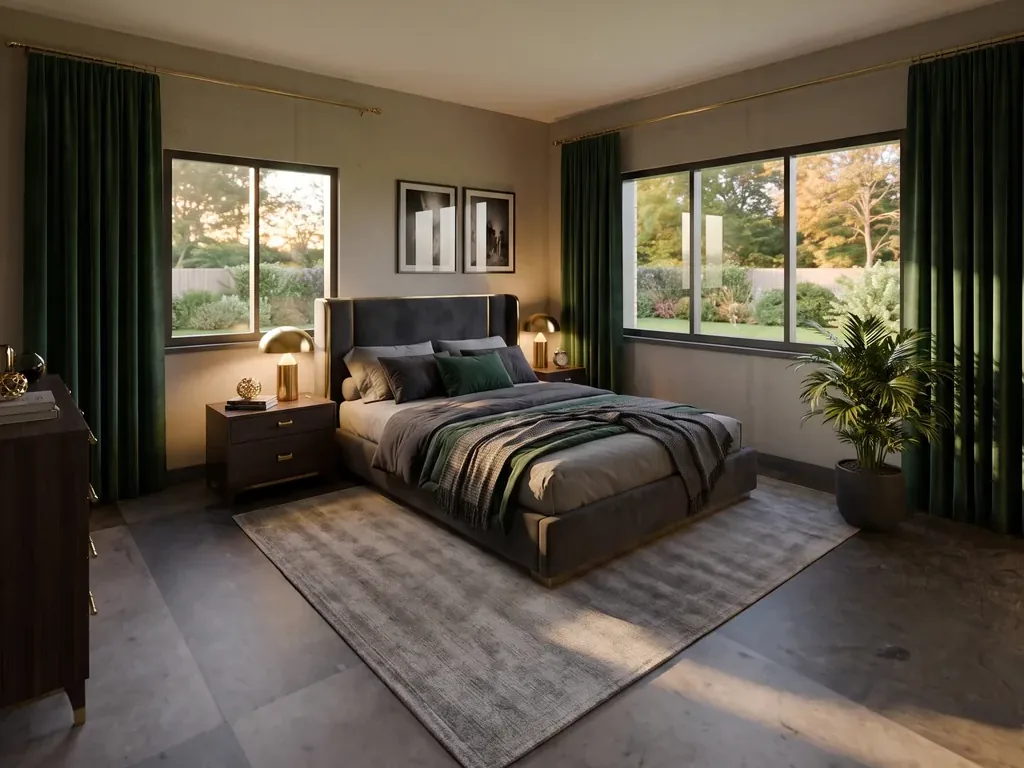
NewPre-sale concept images from a floor plan.
Studio turns a 2D DXF floor plan into generated room images in the browser. Previews are free, up to 5 a day, then extra previews are $0.25 each; otherwise you pay only for what you keep, from the same wallet as your workstation hours.
- Preview (three camera angles): free, up to 5 a day
- Extra preview after that: $0.25
- Edit a preview: $0.49
- 2K download: $0.99
- 4K download: $1.49
No GST (export of services).
 Generated image

Questions people actually ask
Straight answers.
Is this a render farm?
No. A render farm takes your finished file and sends back images. Coreframe gives you the whole machine: you open D5 or Lumion, move around the viewport, change the lighting and see it live. If all you need is unattended batch rendering, a render farm really is cheaper, and we'll tell you so.
Is there an offer for new customers?
Yes. Your first top-up of $20 (no GST) buys 8 hours on a NVIDIA RTX 5080 16 GB (or about 24 hours on the RTX A4000), to use within 30 days. It's one per customer. You get the same workstation every paying customer uses, billed per minute, so you can open your own project and judge it for yourself. How much rendering that covers depends entirely on your scene, so we won't guess at a number.
Is it a Linux GPU server I connect to over SSH?
No. Each workstation is a Windows desktop with the applications installed (D5 Render, Blender, Twinmotion, Unreal Engine; Lumion and Enscape on your own licence), streamed to your own laptop through the Coreframe Connect app, with no browser and no terminal. If you need a Linux box, root access or SSH for training or batch jobs, Coreframe isn't the right tool and a GPU cloud built for AI will serve you better.
What internet speed do I need?
4K at 60 fps looks its best on about 50 Mbps and still holds up at 35 Mbps. 1080p is comfortable on 20 Mbps. Stable latency matters as much as speed. On a weaker connection it gets frustrating, and we'd rather tell you now than take your money. The real test is trying it on the connection you'd actually use.
Where do my files live, and who can see them?
On Coreframe storage in India, tied to your account, with 50 GB included. All customer data stays in India: the workstations are hosted in a Tier III data centre in India and project files are stored in India; nothing is stored or processed outside the country. After every session the workstation is wiped and restored to a clean image, so nothing you worked on is left for the next person. That's also why software you install yourself only lasts for that session.
Where is my data, and how is it hosted?
In India. Coreframe's GPU workstations are hosted in a Tier III data centre in India, and all infrastructure and customer data stay in India. Each GPU belongs to one customer at a time, the desktop is streamed over an encrypted private network, and the workstation is wiped after every session. The security and data page has the details.
Do I need to install anything?
One small app for Windows or Mac, Coreframe Connect. You download it after signing up, sign in with the same email, and launch a workstation from inside it.
How am I charged?
from $1.49 per hour, billed per minute, with no GST: work billed outside India is an export of services. You pay for the minutes the machine is actually running instead of rounding up to whole hours. Nothing is charged automatically: you add money to your wallet and sessions draw from it, with no subscription running in the background.
Do I need Aadhaar, a passport or any ID documents?
No. You sign up with your email, a one-time code sent to your mobile on WhatsApp, and a payment. Indian regulations (CERT-In) require us to keep a verified contact number for anyone renting compute, which is what the mobile code is for. Any country code works.
Can I pay from outside India?
Yes. Your account's currency is set from your billing country when you sign up: accounts billed outside India pay in US dollars by international card through Razorpay, with no GST (export of services). Every top-up comes with an invoice in US dollars.
Are prices the same worldwide?
Each billing country has one price list. Accounts billed outside India pay in US dollars, from $1.49 an hour with no GST (export of services), billed per minute. Accounts billed in India pay a rupee price list with GST included. The workstations are the same everywhere, hosted in a Tier III data centre in India.
Can my whole team use one account?
Yes. You create an organisation and invite people to it with a join code. Everyone gets their own login and their own sessions, billed to the organisation in US dollars, with one invoice and no GST.